DivWeaversStudio
Mobile product engineeringAndroid · Itemized Bill Splitting

From itemized receipt to shareable split

SettleTab helps groups turn a shared bill into an editable item list, individual totals, and a breakdown anyone with the link can read, even without the Android app.

Live on Google Play
RoleShashank Sangule · Founder & Lead Developer, DivWeavers
ProductSettleTab
PlatformAndroid
FocusItemized bill splitting, receipt review, group collaboration and sharing
StackFlutter · Dart · Riverpod · Supabase · PostgreSQL · Edge Functions · AI/Vision APIs · Google ML Kit · RevenueCat · OneSignal
StatusLive on Google Play
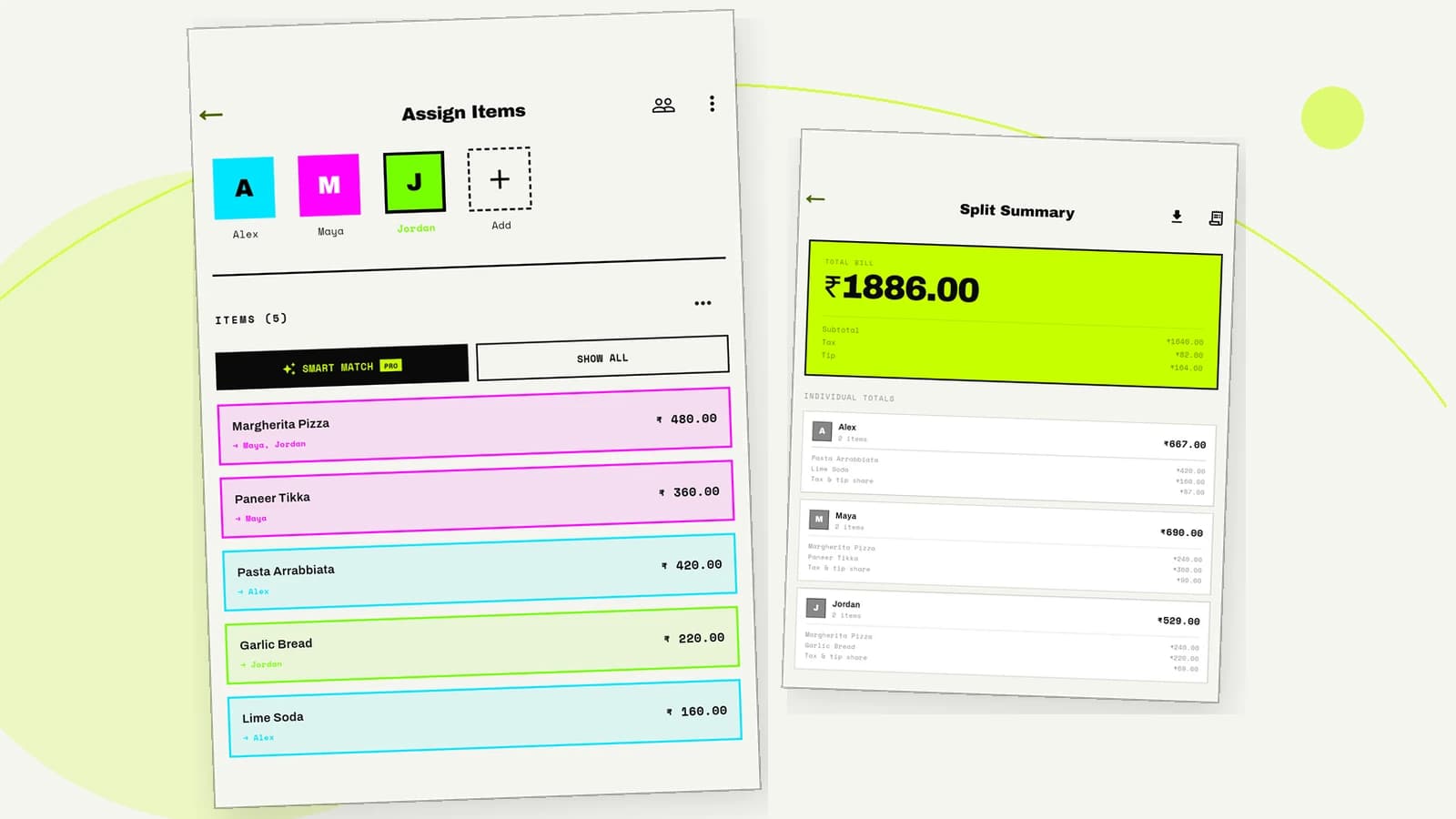
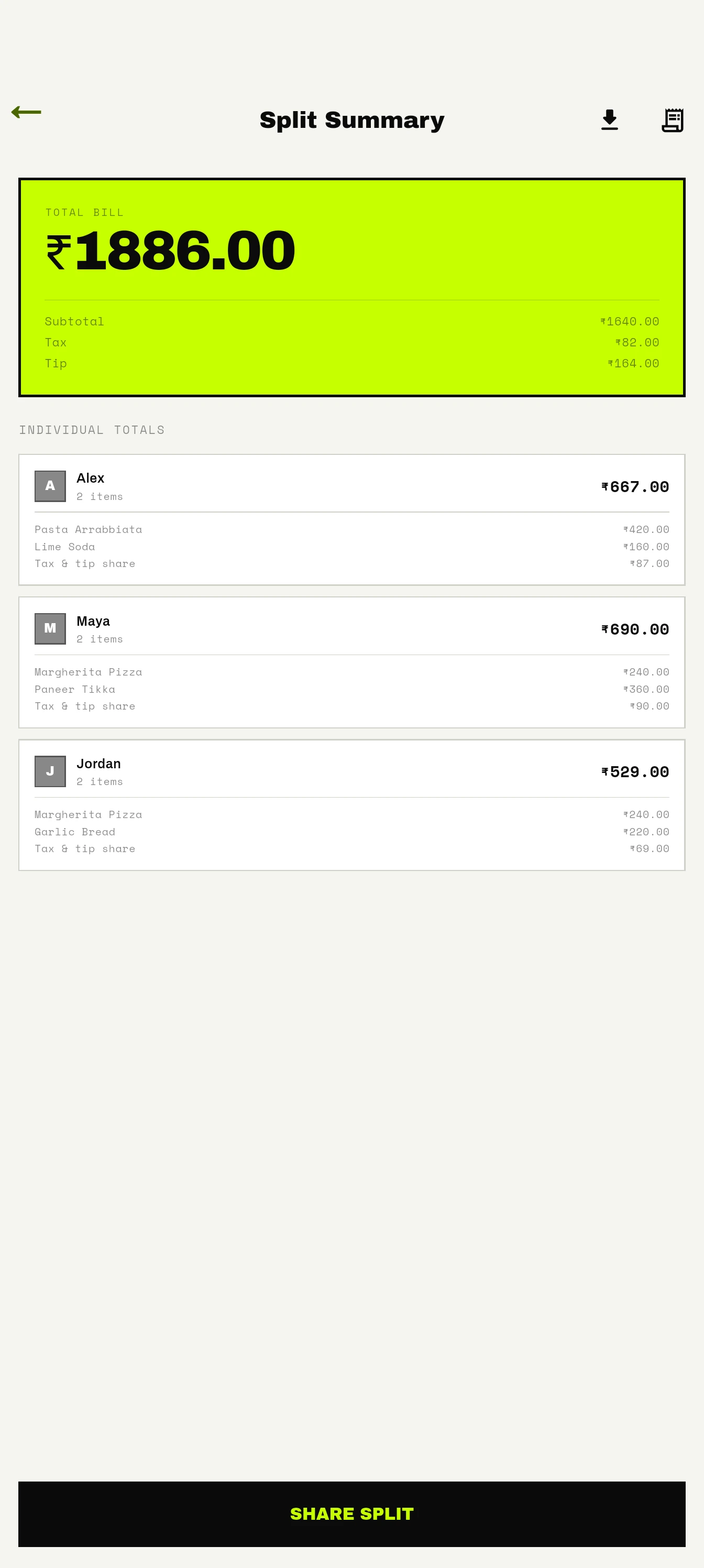
SettleTab assignment and summary screens showing how a shared bill becomes individual totals.

Product screenshots

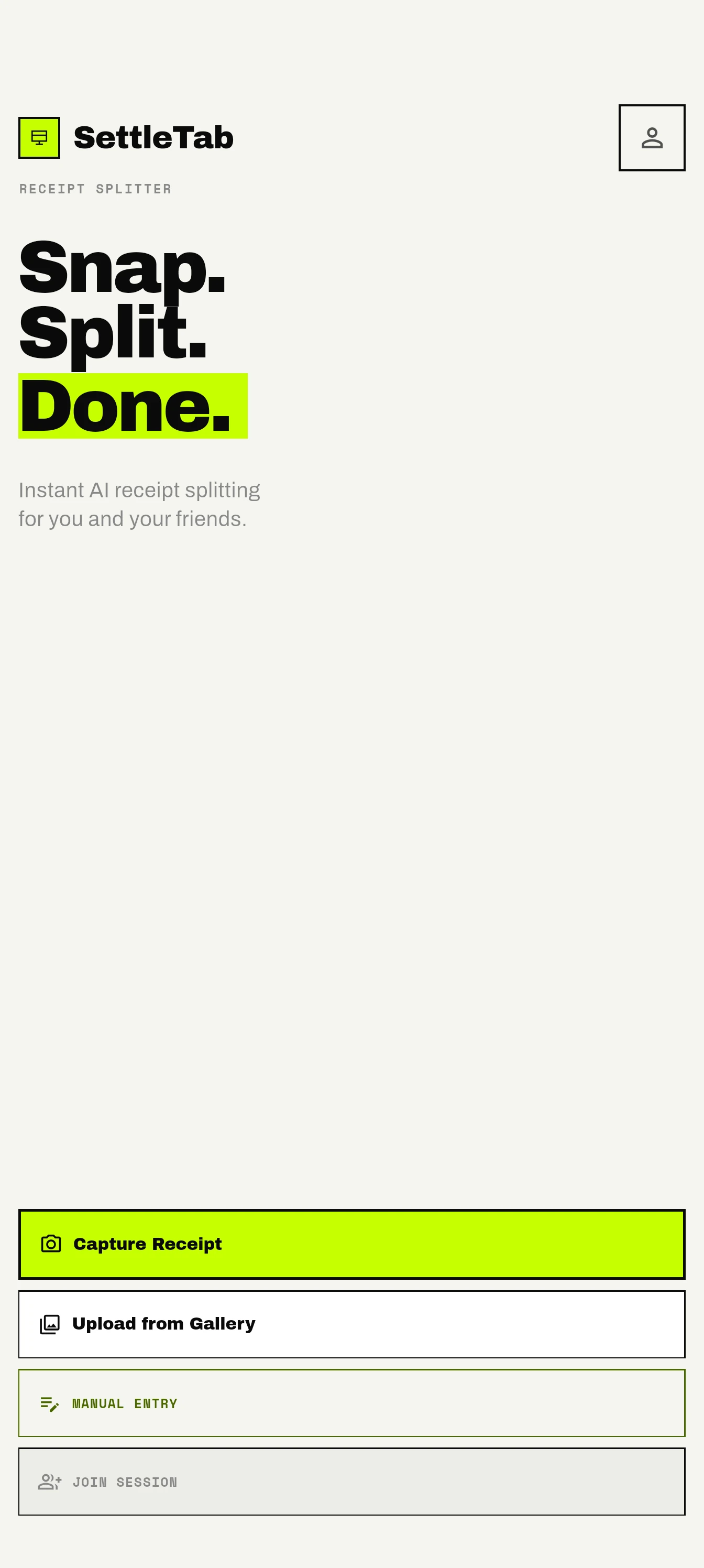
SettleTab home screen offering receipt capture, gallery upload, and manual entry.
Start with the bill you have.
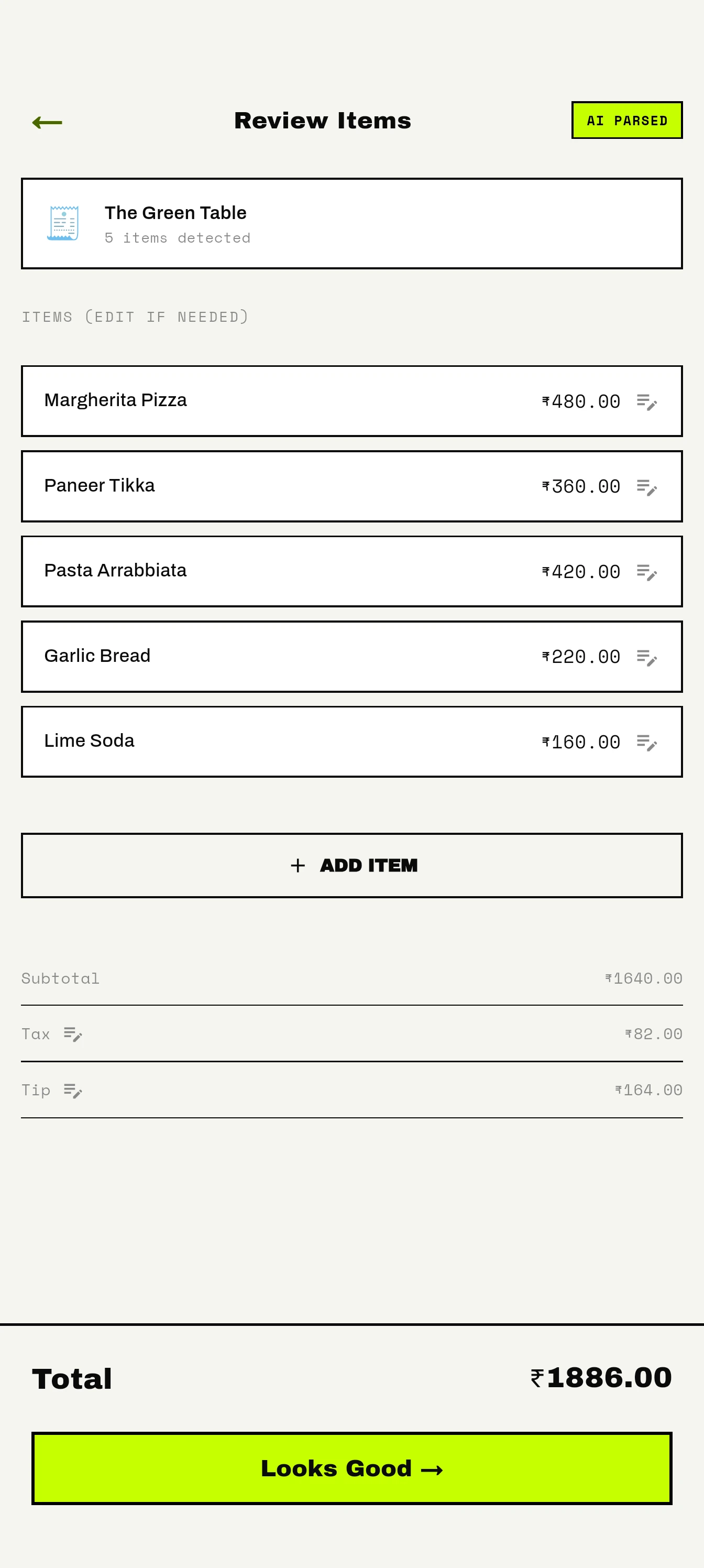
Editable SettleTab receipt for The Green Table with five items, tax, tip, and a ₹1,886 total.
Correct the items before splitting.
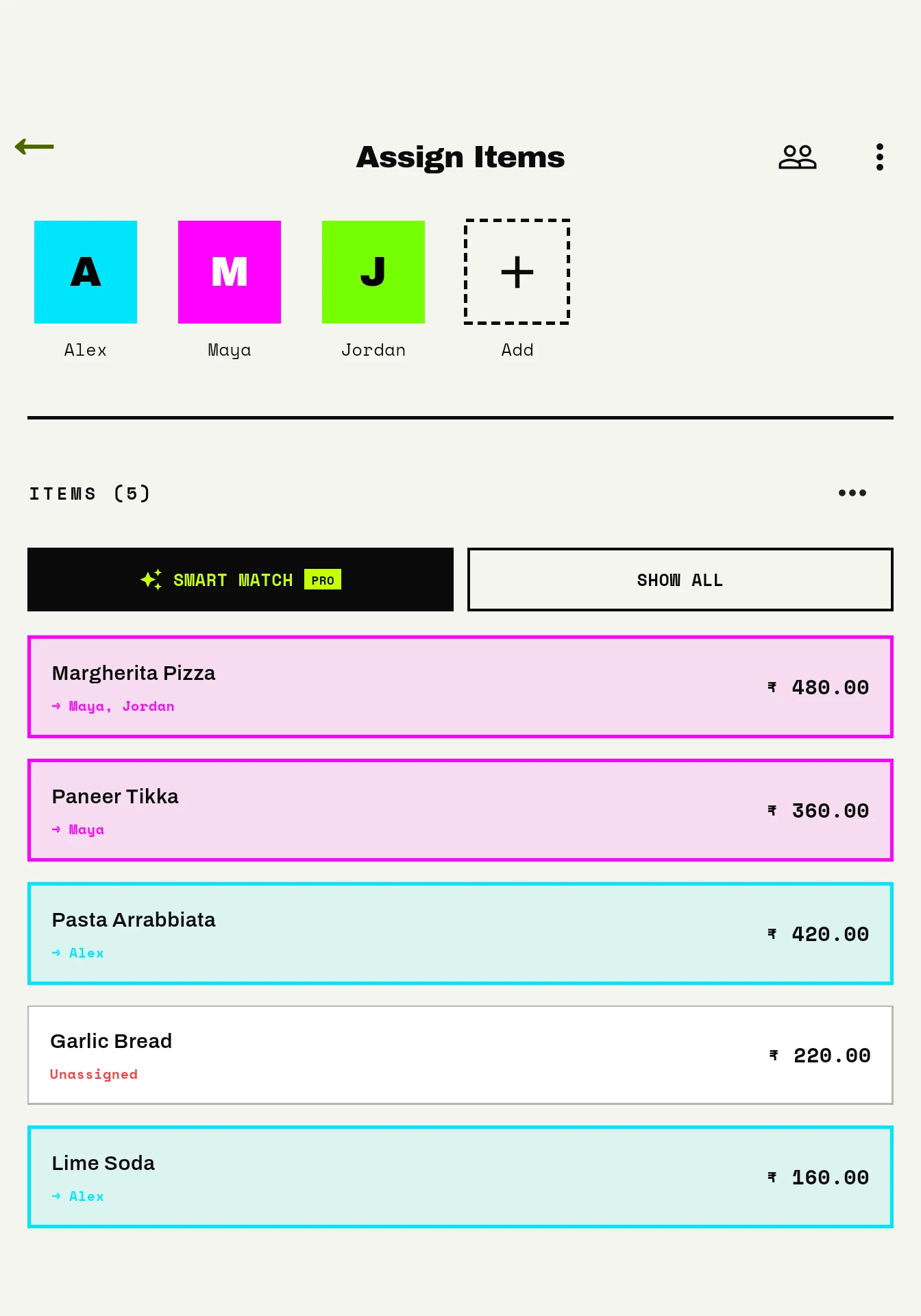
SettleTab assignment screen showing individual items, a shared pizza, and unassigned Garlic Bread for Alex, Maya, and Jordan.
Assign purchases, including shared items.
SettleTab summary for a ₹1,886 bill showing Alex ₹667, Maya ₹690, Jordan ₹529, and Share Split.
See what each person owes.
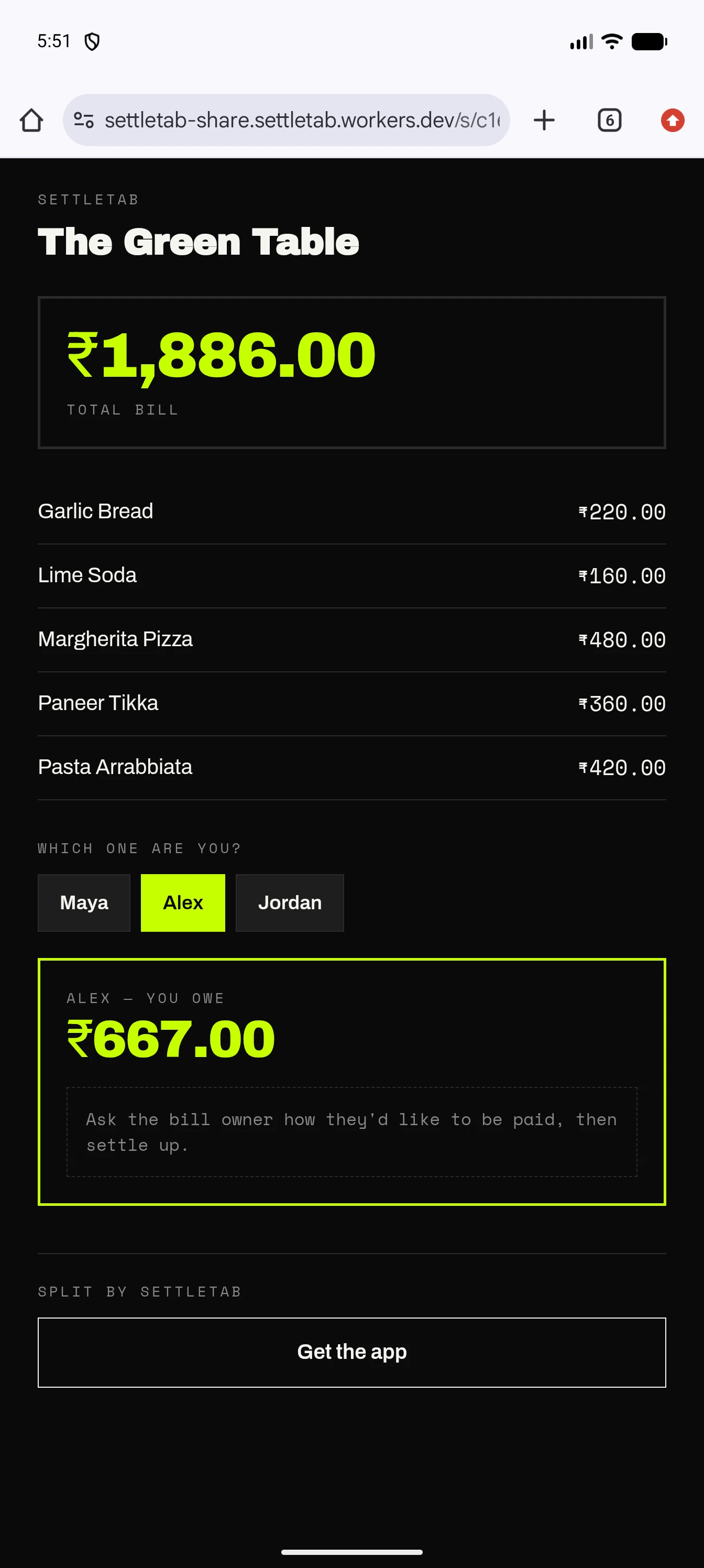
Read-only SettleTab web page for The Green Table showing a ₹1,886 bill with Alex selected and owing ₹667.
Send a result people can read without the app.
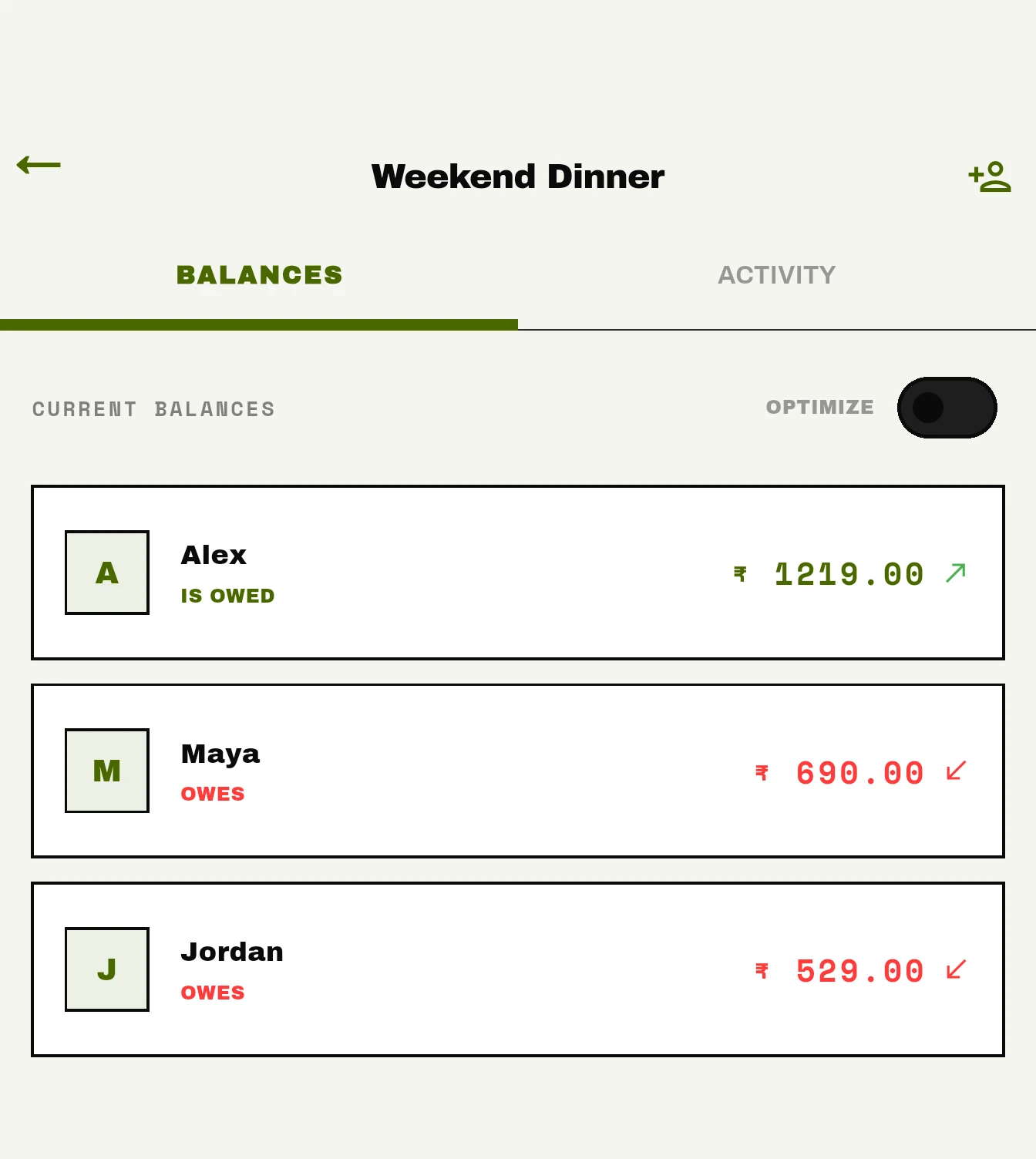
Weekend Dinner group balances showing Alex owed ₹1,219, Maya owing ₹690, and Jordan owing ₹529.
Keep track of what the group owes.

A receipt becomes editable product data before it becomes a split.

SettleTab is a live Android app that turns scanned or manually entered bills into editable, itemized splits and shareable totals for everyone at the table. Creating and managing splits requires an account, with email/password or Google Sign-In.

Receipt processing proposes an item list that people can correct. SettleTab's application logic then calculates what each participant owes; extraction does not decide the final amounts.

The hard part is creating a shared representation people can trust.

A group can agree on a bill total and still disagree about each person's share. Individual and shared items, tax, tip, and an imperfect receipt all need checking.

SettleTab brings capture or manual entry, review, assignment, calculation, and sharing into one flow. A scan reduces typing, but its output remains editable before anyone settles on a split.

Reduce entry work without hiding the source data.

The product goal is a clear path from receipt input or manual entry to a reviewed bill, participant totals, and a breakdown people can share.

  • Reduce repetitive receipt entry
  • Keep extracted items editable
  • Use reviewed items as the input to split logic
  • Keep final calculations reproducible

My role

As Founder & Lead Developer at DivWeavers, I led SettleTab's engineering across the Flutter app, receipt workflow, split calculation, Supabase backend, sharing, subscriptions, notifications, testing, and Android release infrastructure.

The system combines uncertain input with exact expectations.

Receipt recognition can be incomplete or wrong, while the people settling a bill expect totals they can inspect and reproduce. That makes correction a primary path rather than an exceptional state.

  • Physical receipt input is not consistently structured
  • Extracted values require review
  • Financial rules must remain deterministic
  • The workflow must stay understandable when automation is imperfect
User and system workflow

From receipt input to an explainable split

A signed-in user reviews the bill before application code calculates and shares the result.

01

Sign in

Use email/password or Google Sign-In to create and manage splits.

Account required
02

Bill input

Photograph a receipt, select one gallery image, or enter items manually. Camera batch mode accepts up to five images.

Camera · gallery · manual
03

Editable review

Correct proposed items, prices, tax, and tip before splitting.

User correction
04

Participant assignment

Assign individual purchases or divide shared items equally.

Individual · shared
05

Calculate and save

Calculate item shares, proportional tax and tip, and rounding in app logic; finalize the split.

Application logic
06

Share the result

Send an itemized breakdown or a read-only browser link for a finalized split saved online.

Native · read-only web
Architecture

System boundary

Described functional boundary

The checked-in architecture connects Flutter to Supabase and a read-only browser result; deployed extraction providers remain configuration-dependent.

Flutter input and review

Signed-in users capture or enter a bill and correct its item list.

Supabase data and extraction

Auth, PostgreSQL, private receipt storage, realtime collaboration, and server functions support the workflow.

Dart calculation

Reviewed items and assignments determine tax, tip, and reconciled totals.

Shareable result

Saved finalized splits can be read on a public, read-only browser page.

Engineering challenges

Where product judgment mattered

Unstructured receipt input

Challenge

A receipt image does not arrive as reliable item, price, and total fields.

Why it mattered

The rest of the split depends on a representation people can inspect.

Approach

Use AI/OCR assistance to propose structured receipt data, then put that structure into an editable review step.

Trade-off

Review adds a step, but it prevents faster extraction from silently becoming incorrect product state.

Result

The described workflow produces editable itemization instead of treating recognition output as final.

Automation without surrendering control

Challenge

Manual entry is slow, but probabilistic extraction can be wrong.

Why it mattered

A bill-splitting workflow needs both lower input effort and user trust.

Approach

Automate the first pass and make correction a normal part of the workflow.

Trade-off

The interface must support inspection rather than presenting automation as instant certainty.

Result

Users remain in control of the data used for the split.

Deterministic financial logic

Challenge

Extraction can be probabilistic; a final bill cannot be opaque.

Why it mattered

Participants need totals that can be traced back to reviewed items and rules.

Approach

Keep bill-splitting calculations in deterministic product logic after review.

Trade-off

This preserves a boundary between two processing stages instead of asking one AI response to do everything.

Result

The calculation remains reproducible and explainable.

Important decisions

The trade-offs behind the workflow

AI assists input; it does not own the financial truth

Decision

Use AI/OCR to propose receipt structure and ordinary product logic for the split.

Why

The two jobs have different reliability requirements.

Alternative considered

Ask one model response to extract the receipt and finalize the financial result.

Trade-off

The product needs an explicit handoff between extracted and reviewed data.

Why acceptable

That handoff keeps the consequence visible and the final calculation inspectable.

Make extracted structure editable

Decision

Treat correction as part of the main path rather than a rare error screen.

Why

Recognition quality varies with the input, and users can identify mistakes directly.

Alternative considered

Accept extracted items automatically and expose only the final total.

Trade-off

Review requires user attention before the split is complete.

Why acceptable

A short review is a better cost than settling from data the user could not inspect.

Assist the input step; keep the product rules explicit.

Flutter handles capture, manual entry, review, assignment, and summary. Supabase provides authentication, PostgreSQL data, private receipt storage, realtime collaboration, and server functions. Receipt processing proposes bill data; Dart application logic divides shared items equally, allocates tax and tip proportionally, and reconciles rounding.

More than one path through a messy receipt.

Configured server providers are tried in order, with on-device text recognition attempted after cloud analysis fails. People can correct proposed items or enter a bill manually. Local writes can be queued for later synchronization after sign-in; cloud features still need connectivity.

An Android product with sharing beyond the app.

SettleTab is live on Google Play. A finalized split can be sent as an itemized breakdown through the device share sheet. Once saved online, it can also be viewed on a read-only browser page without installing the app or creating an account.

Saved groups, balances, history, and settlement records support repeat bills. External payment destinations may be opened, but SettleTab does not transfer money. OneSignal is used for production push notifications, and RevenueCat implements subscriptions and the Pro entitlement.

A concrete mobile workflow replaced two poor extremes.

The live Android workflow turns receipt images or manual bill items into editable, itemized splits and shareable totals. Join codes support collaborative item assignment, while saved groups carry balances across bills.

What this project demonstrates

SettleTab demonstrates mobile engineering across receipt input, backend data rules, collaboration, and sharing. The important boundary is that automation proposes bill data while application code calculates the amounts owed.

The correction path is part of the product.

Probabilistic extraction is most useful when the user can inspect what it produced. Financial behavior remains easier to trust when the final rules are ordinary, reproducible product logic.

Building a product with similar technical complexity?

Share the product problem, the current system, and where delivery is stuck.